 NetMute
Per-app firewall for macOS: Every app wants online. Not every app gets to.
NetMute shows you where your apps connect and blocks known trackers. One app, one domain, one click.
Free with no time limit · No subscription · No account
 Made by Jonas in MunichI build NetMute on my own and read every email myself.
Tracker protection on
All browsers and apps
Now
546kbit/s ↓22 kbit/s ↑
10 min agonow
Top consumers now
 Safari416 kbit/s
 WebStorm0.7 kbit/s
 WhatsApp0.6 kbit/s
9 trackers blocked today
Try it: pause an app.
Mac App Store
What people write after using it
Every quote below is a Mac App Store review, in the words and the language it was written in.
All reviews come from the Mac App Store, where only an Apple account that has downloaded NetMute can leave one. They are quoted word for word; […] marks a passage left out, nothing else is changed. This is a selection, not the full list.
Read all reviews in the App Store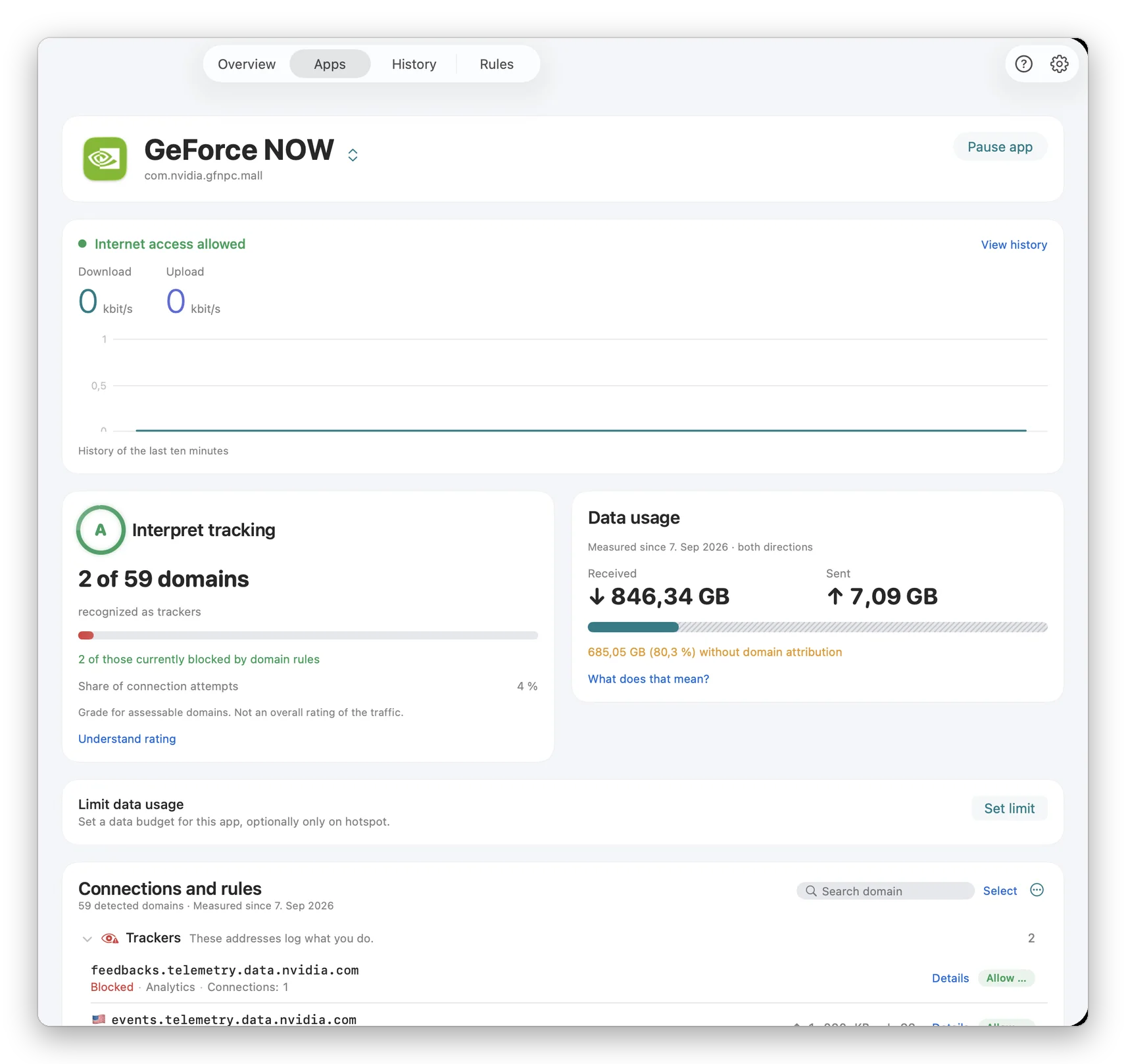
App X-Ray
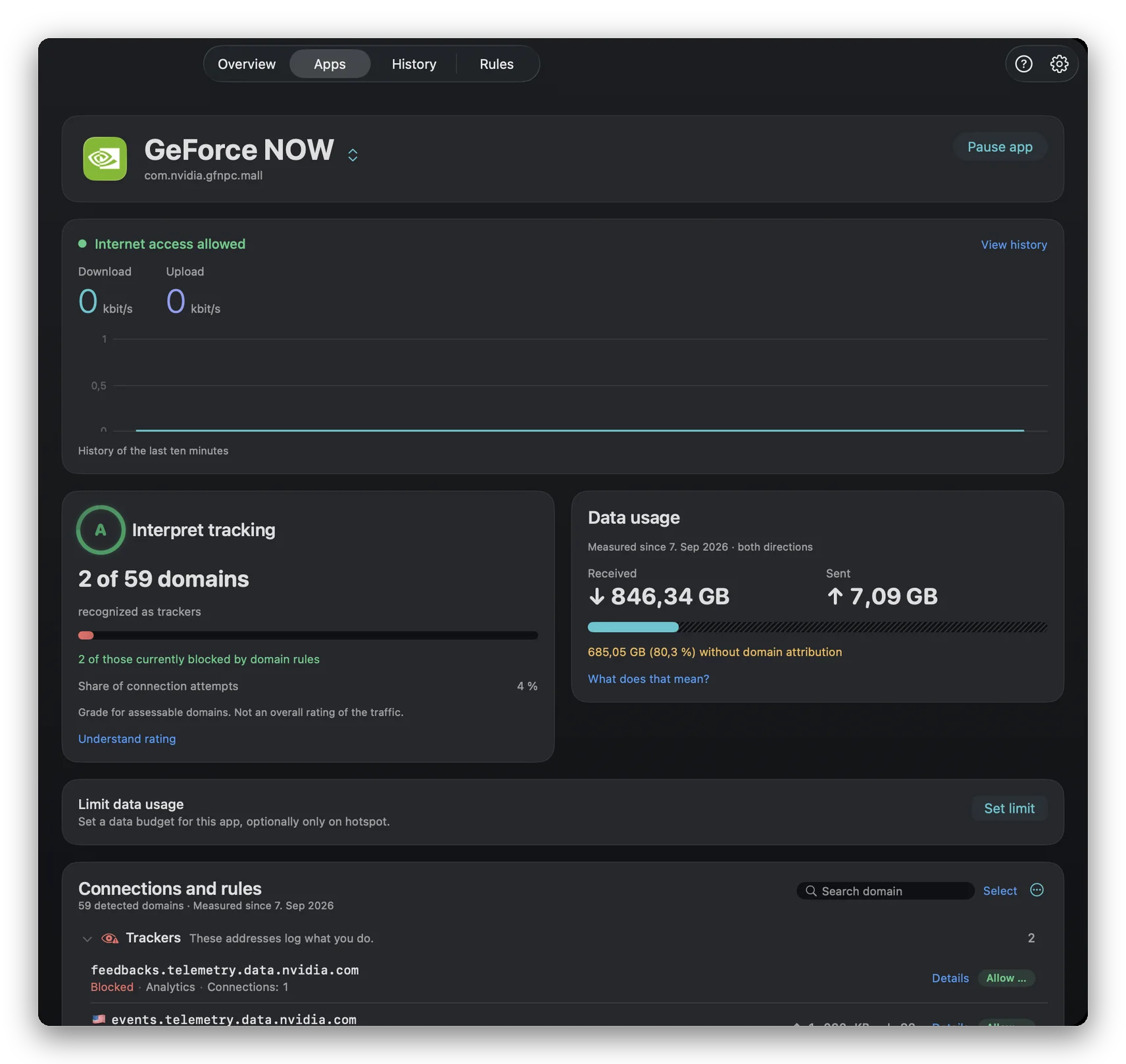
59 domains. 2 trackers. Both silenced.
This is GeForce NOW on the developer’s Mac. NetMute shows you the same view for every app on yours, with the company, the category and a grade.
- feedbacks.telemetry.data.nvidia.comconnecting …
- events.telemetry.data.nvidia.comconnecting …
Features
Your apps. Your network rules.
Inspect connections, block destinations and manage data use in one place.
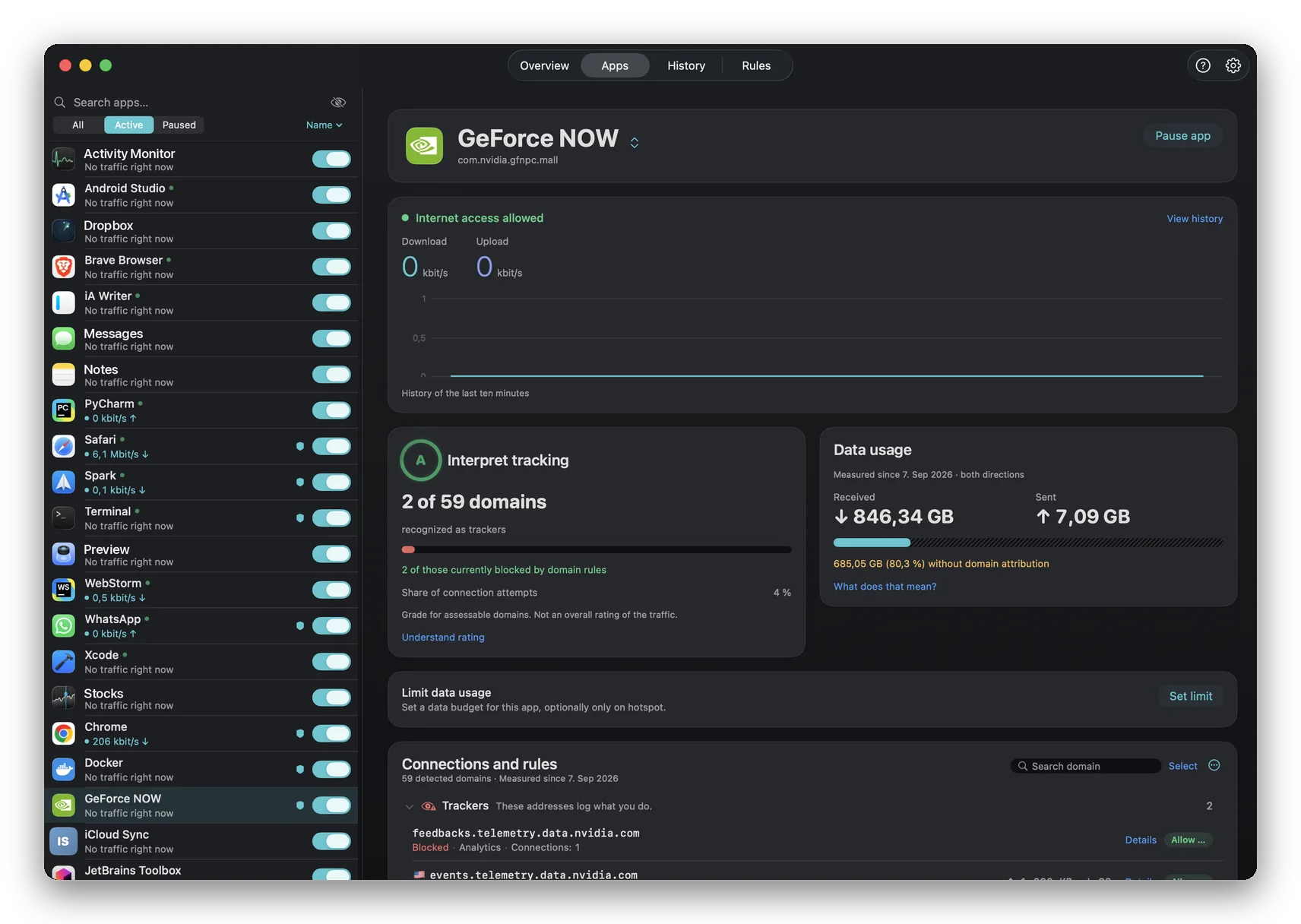
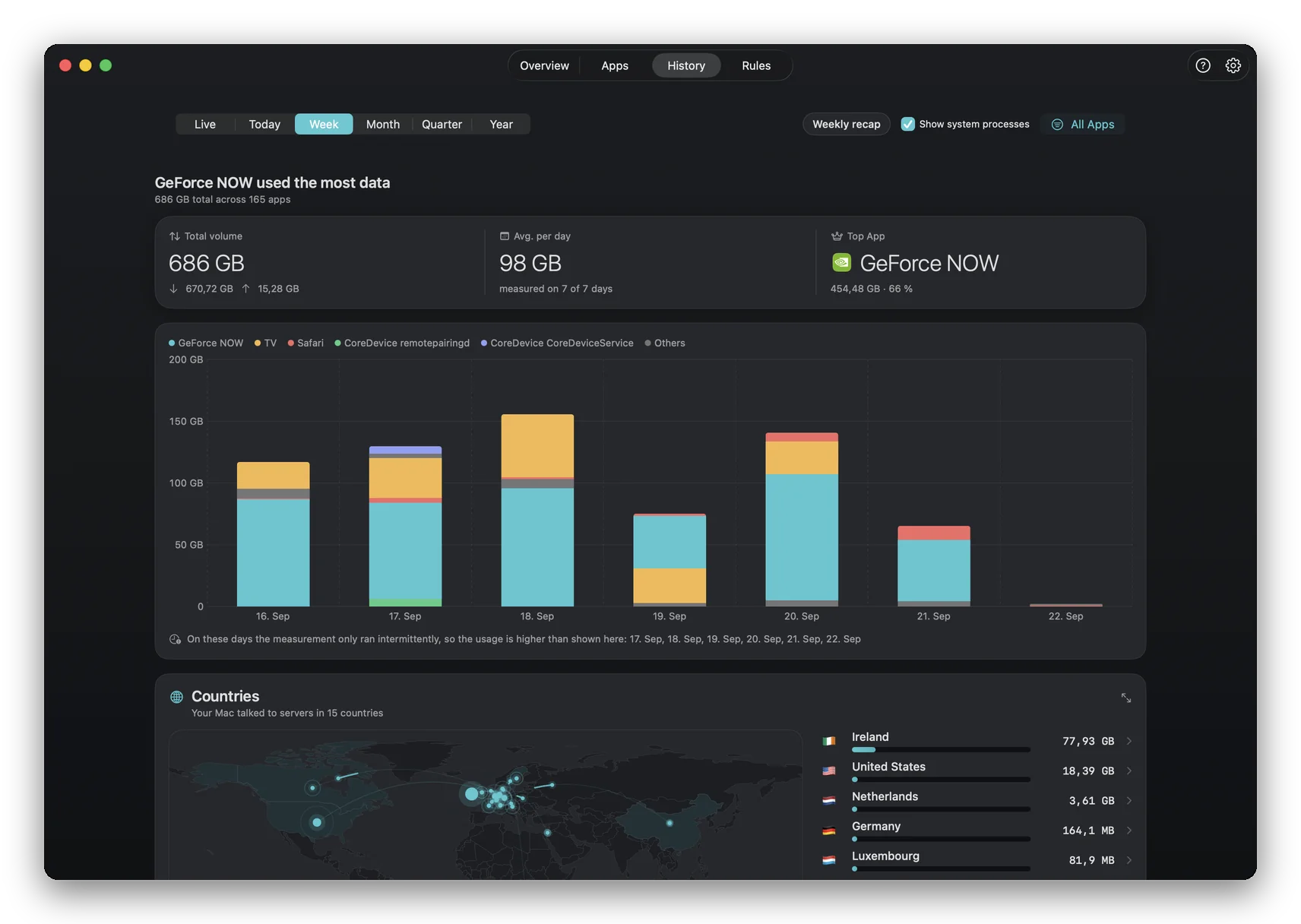
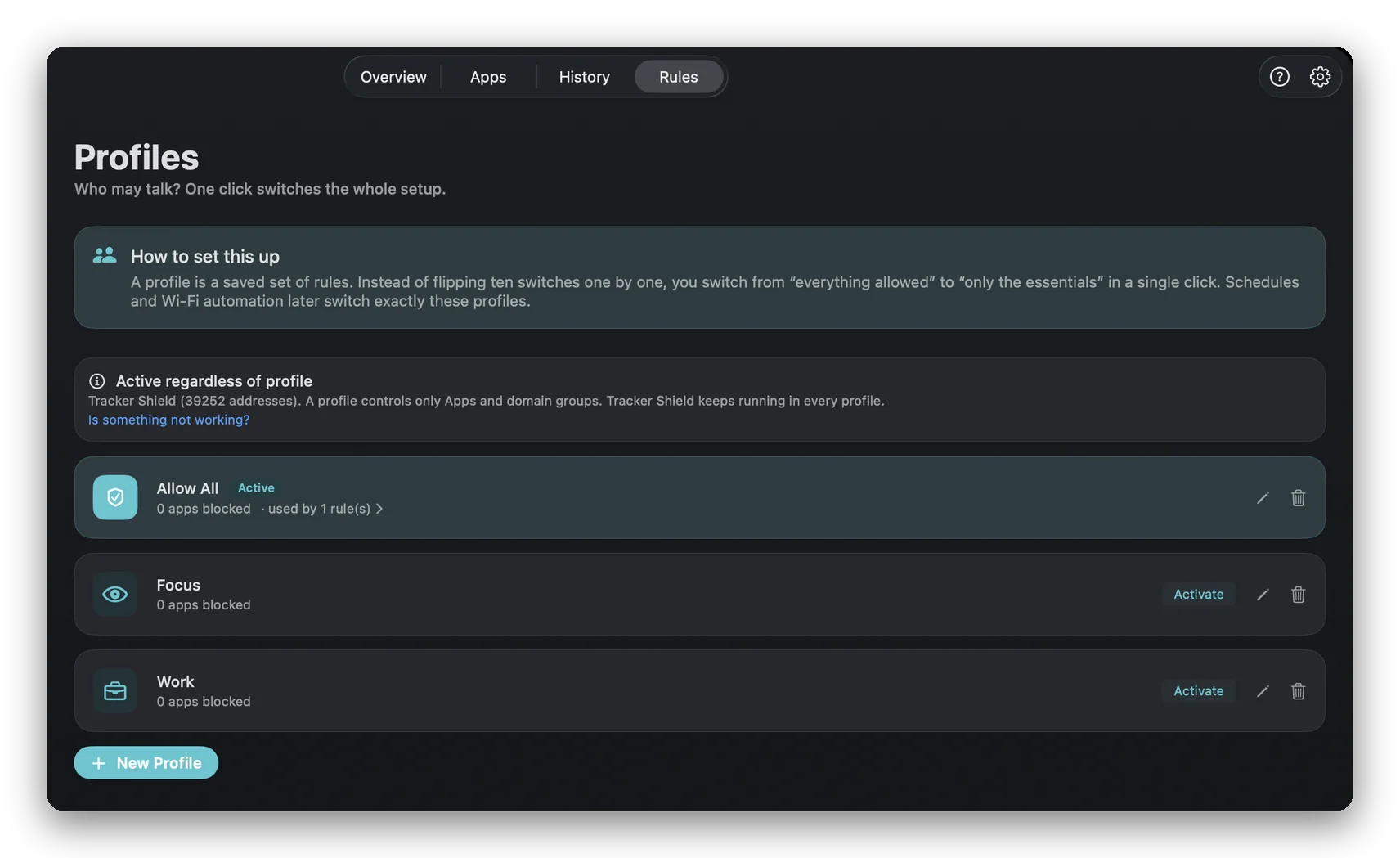
Per-App Firewall
Cut an app off from the internet with one switch, or let it through and block only the endpoints you don't want.
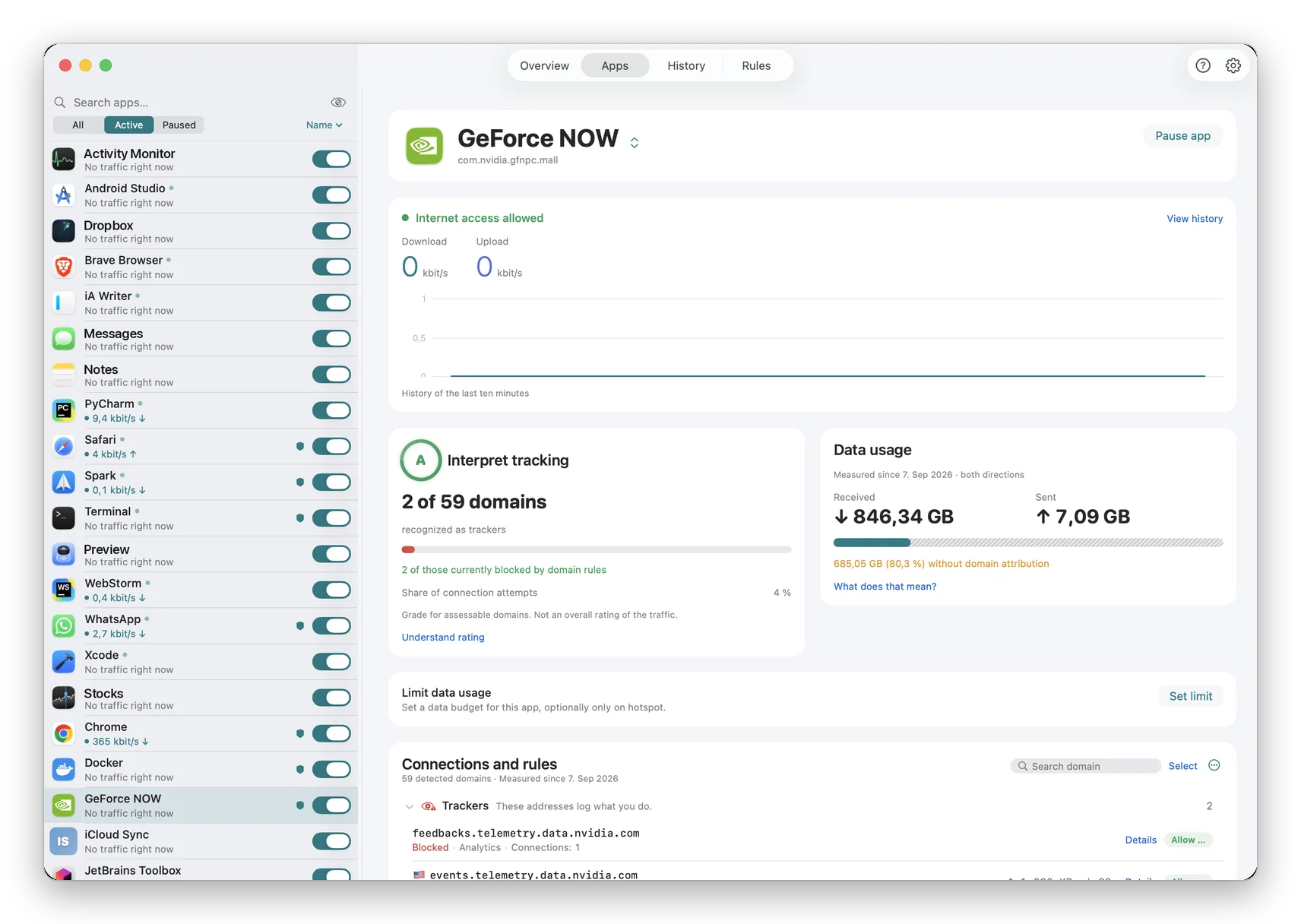
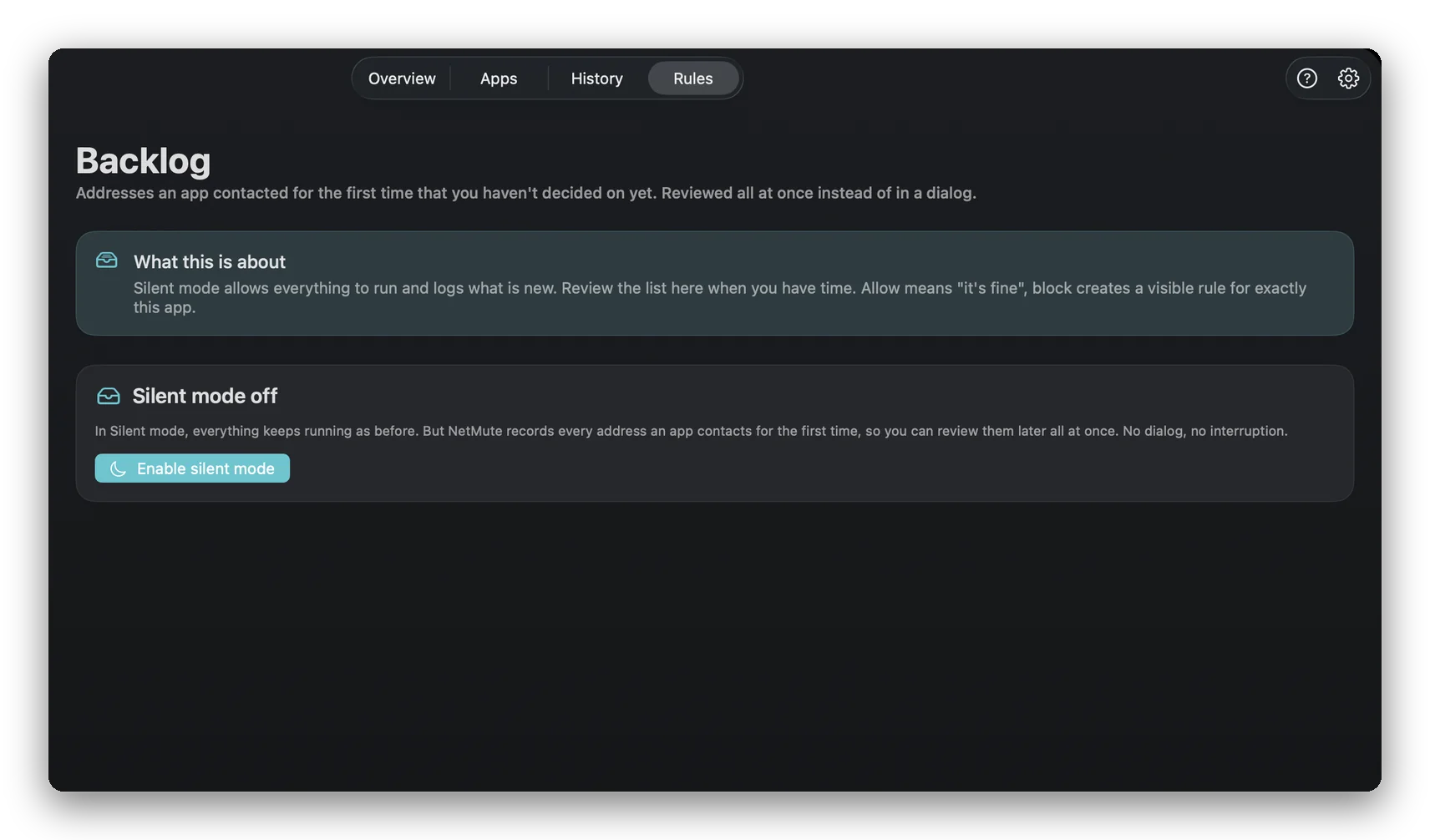
Quiet Mode
A third state next to off and ask: everything runs, every new connection is written down, and you decide the whole backlog later in one pass.
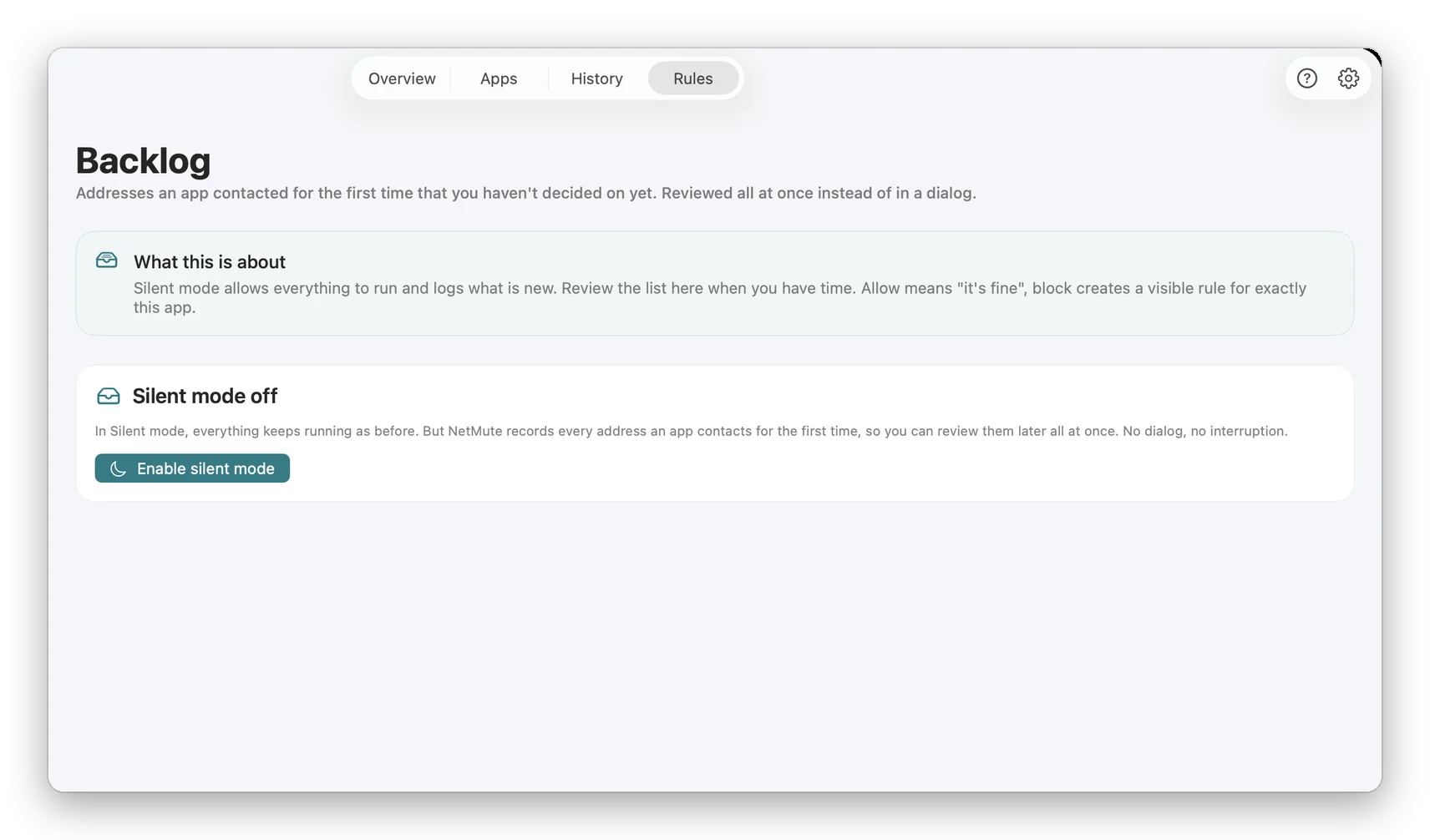
App X-Ray
Open any app and see who it talks to, how often, and how much it sends. Each one gets a privacy score.
Network Reports
Up to a year of traffic, by day, week and month. Stored on your Mac, exportable as CSV.
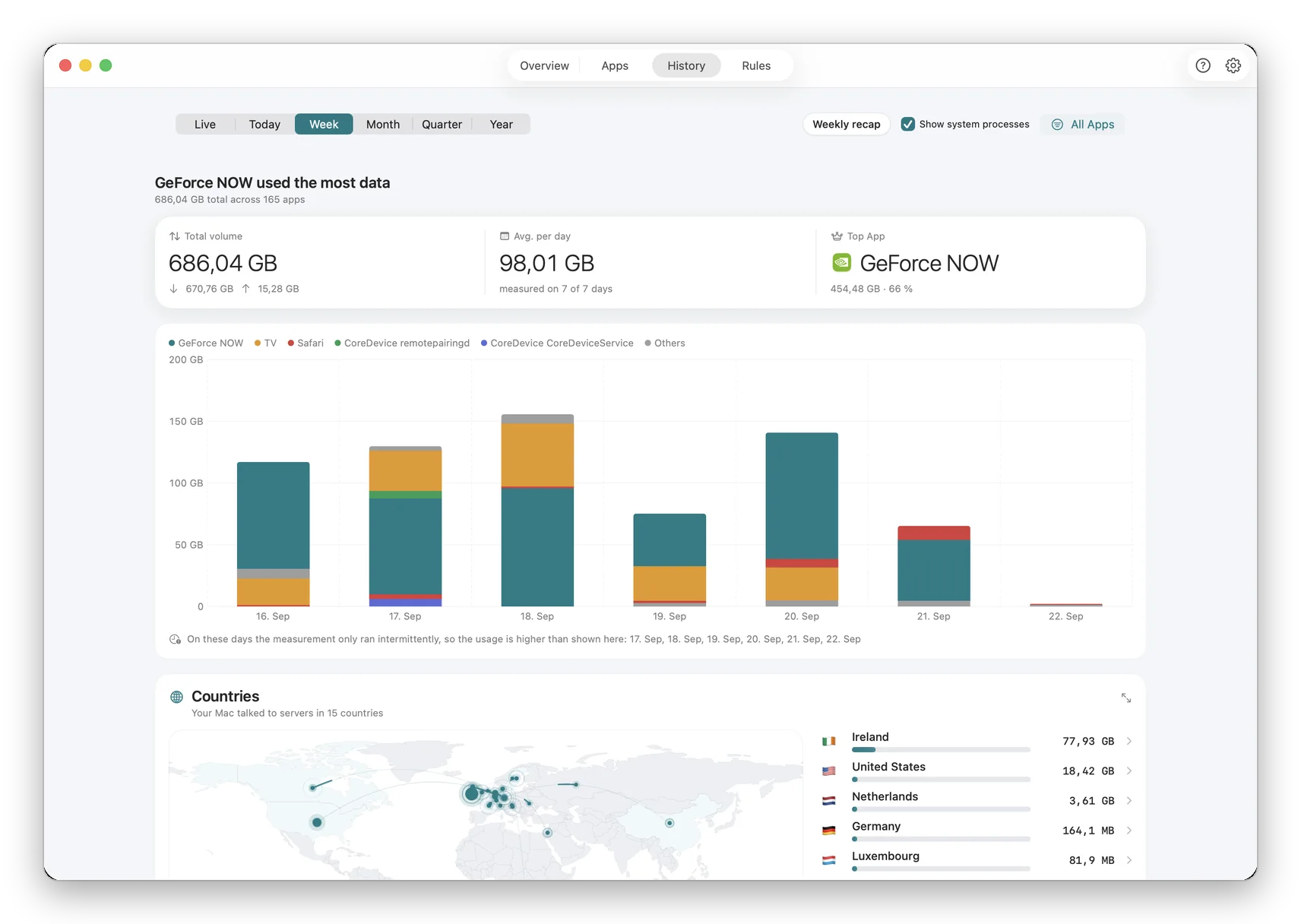
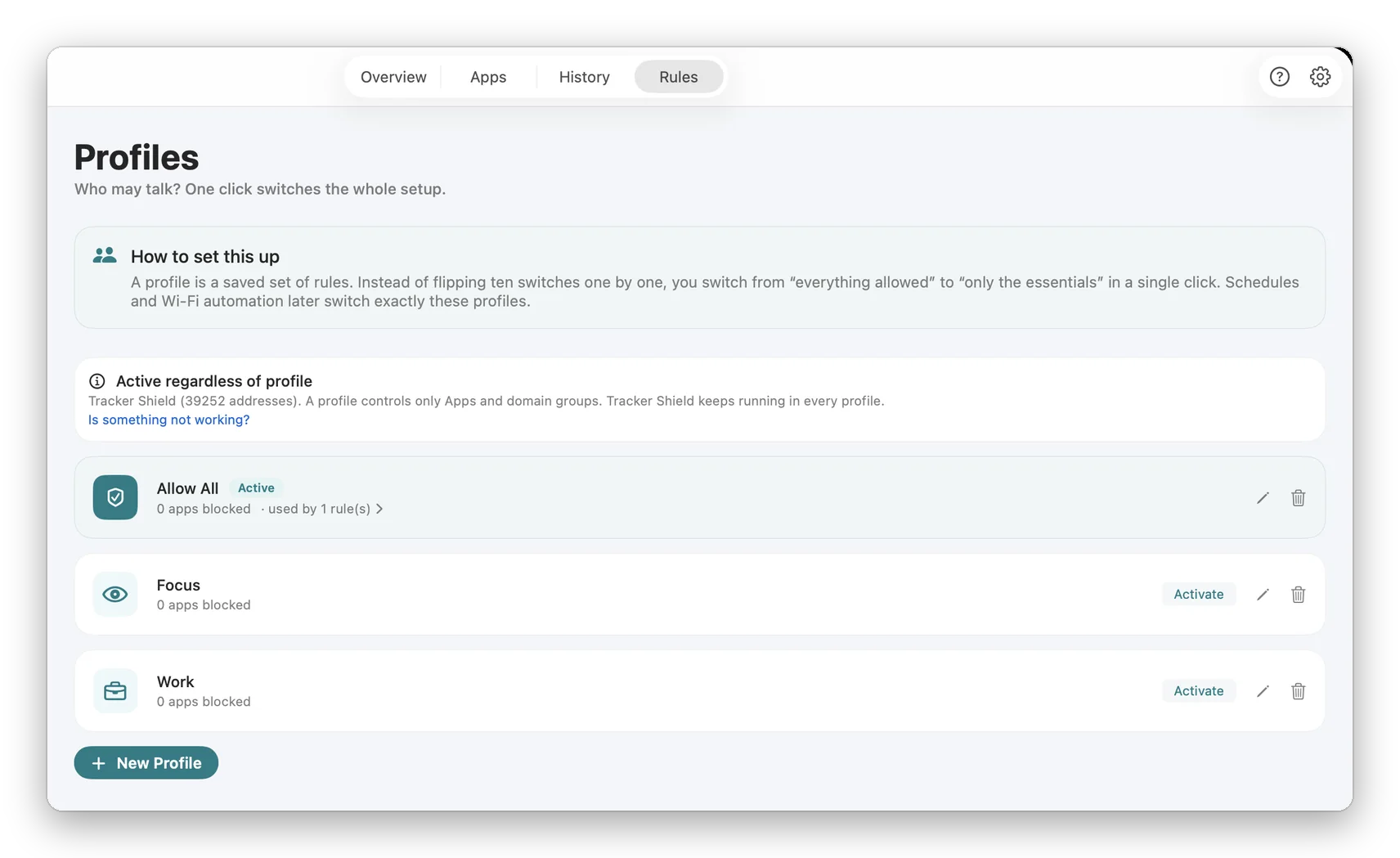
Network Profiles
A rule set for home, one for the office, one for hotel Wi-Fi. NetMute switches when the network does.
The macOS firewall only looks inward.
It controls incoming connections. What your apps send out on their own, it does not show. That is where NetMute starts.
Compare all six Mac firewalls| Feature | macOS firewall | NetMute |
|---|---|---|
| Block outgoing connections per app | No | Yes |
| See which domains an app contacts | No | Yes |
| Built-in tracker blocklist | No | 381 domains |
| Data limit per app, even only on a hotspot | No | Pro |
| Preinstalled | Yes | One download |
What NetMute does not ask of you
No account.
Download, allow the system extension, done. No email, no sign-up.
No subscription.
Pro is a one-time $12.99, with every future update.
Stays on your Mac.
By default nothing leaves your Mac. The tracker report is voluntary and off until you turn it on.
Pricing
Free to start. $12.99 once to unlock everything.
NetMute is free to download and genuinely useful on day one. Pro is a single in-app purchase: no subscription, no account, all future updates included.
Free
$0
Free on the Mac App Store
- Per-app firewall: cut any app off the internet
- Live traffic monitor, byte by byte
- Tracker Shield: the 50 most active trackers
- 5 domain blocks of your own
- This week's traffic
NetMute Pro
$12.99
One-time in-app purchase, unlocked inside the app
Everything in Free, plus
- Full Tracker Shield: 300+ domains instead of 50
- App X-Ray with a privacy score per app
- Privacy dashboard
- Reports across months, CSV export
- Per-app data limits
- Your own network profiles, switching automatically
- Schedules and Wi-Fi automation
- Unlimited domain blocks
7-day pass · Only need it for a few days? Pro comes as a seven-day pass too.
Next to the one-time purchase, the app offers a 7-day pass: for trying Pro out, or for the week you actually need it. Technically a non-renewing subscription, it ends by itself after seven days, there is no renewal and nothing to cancel. Once per Apple Account, and the app shows the price.
One-time purchase · no subscription · no account · all updates included · Family Sharing not supported · US price shown; the App Store charges your local pricePrices can change. What applies is the price the App Store shows you when you buy. Why prices differ between countries
App Store prices in all 175 countries
Price of the one-time NetMute Pro purchase in each Mac App Store, as of September 18, 2026, taken from App Store Connect. Prices can change: what applies is the price the App Store shows you when you buy, in the store your Apple Account belongs to. Prices in the US and Canada are shown before sales tax, most others include VAT. Buying directly from us is a separate shop with its own prices.
- Afghanistan$12.99
- Albania$14.99
- Algeria$12.99
- Angola$12.99
- Anguilla$12.99
- Antigua & Barbuda$12.99
- Argentina$12.99
- Armenia$14.99
- AustraliaA$19.99
- Austria€14.99
- Azerbaijan$14.99
- Bahamas$14.99
- Bahrain$14.99
- Barbados$14.99
- Belarus$14.99
- Belgium€14.99
- Belize$12.99
- Benin$14.99
- Bermuda$12.99
- Bhutan$12.99
- Bolivia$12.99
- Bosnia & Herzegovina€14.99
- Botswana$12.99
- BrazilR$79.90
- British Virgin Islands$12.99
- Brunei$12.99
- Bulgaria€14.99
- Burkina Faso$12.99
- Cambodia$14.99
- Cameroon$14.99
- CanadaCA$17.99
- Cape Verde$12.99
- Cayman Islands$12.99
- Chad$12.99
- ChileCLP 14,990
- ChinaCN¥88
- ColombiaCOP 59,900
- Congo - Brazzaville$14.99
- Congo - Kinshasa$12.99
- Costa Rica$12.99
- Côte d’Ivoire$14.99
- Croatia€14.99
- Cyprus€14.99
- CzechiaCZK 349
- DenmarkDKK 99
- Dominica$12.99
- Dominican Republic$12.99
- Ecuador$12.99
- EgyptEGP 699.99
- El Salvador$12.99
- Estonia€14.99
- Eswatini$12.99
- Fiji$12.99
- Finland€14.99
- France€14.99
- Gabon$12.99
- Gambia$12.99
- Georgia$14.99
- Germany€14.99
- Ghana$14.99
- Greece€14.99
- Grenada$12.99
- Guatemala$12.99
- Guinea-Bissau$12.99
- Guyana$12.99
- Honduras$12.99
- Hong Kong SAR ChinaHK$98
- HungaryHUF 5,990
- Iceland$14.99
- India₹1,299
- IndonesiaIDR 249,000
- Iraq$12.99
- Ireland€14.99
- Israel₪39.90
- Italy€14.99
- Jamaica$12.99
- Japan¥2,000
- Jordan$12.99
- KazakhstanKZT 7,990
- Kenya$14.99
- Kosovo€14.99
- Kuwait$12.99
- Kyrgyzstan$14.99
- Laos$14.99
- Latvia€14.99
- Lebanon$12.99
- Liberia$12.99
- Libya$12.99
- Lithuania€14.99
- Luxembourg€14.99
- Macao SAR China$12.99
- Madagascar$12.99
- Malawi$12.99
- MalaysiaMYR 59.90
- Maldives$12.99
- Mali$12.99
- Malta€14.99
- Mauritania$12.99
- Mauritius$14.99
- MexicoMX$299
- Micronesia$12.99
- Moldova$14.99
- Mongolia$12.99
- Montenegro€11.99
- Montserrat$12.99
- Morocco$14.99
- Mozambique$12.99
- Myanmar (Burma)$12.99
- Namibia$12.99
- Nauru$12.99
- Nepal$14.99
- Netherlands€14.99
- New ZealandNZ$22.99
- Nicaragua$12.99
- Niger$12.99
- NigeriaNGN 19,900
- North Macedonia$12.99
- NorwayNOK 179
- Oman$12.99
- PakistanPKR 3,500
- Palau$12.99
- Panama$12.99
- Papua New Guinea$12.99
- Paraguay$12.99
- PeruPEN 59.90
- Philippines₱799
- PolandPLN 59.99
- Portugal€14.99
- QatarQAR 49.99
- RomaniaRON 69.99
- RussiaRUB 999
- Rwanda$12.99
- São Tomé & Príncipe$12.99
- Saudi ArabiaSAR 59.99
- Senegal$14.99
- Serbia€14.99
- Seychelles$12.99
- Sierra Leone$12.99
- SingaporeSGD 19.98
- Slovakia€14.99
- Slovenia€14.99
- Solomon Islands$12.99
- South AfricaZAR 249.99
- South Korea₩22,000
- Spain€14.99
- Sri Lanka$12.99
- St. Kitts & Nevis$12.99
- St. Lucia$12.99
- St. Vincent & Grenadines$12.99
- Suriname$14.99
- SwedenSEK 179
- SwitzerlandCHF 10
- TaiwanNT$390
- Tajikistan$14.99
- TanzaniaTZS 39,900
- ThailandTHB 499
- Tonga$12.99
- Trinidad & Tobago$12.99
- Tunisia$12.99
- TürkiyeTRY 699.99
- Turkmenistan$12.99
- Turks & Caicos Islands$12.99
- Uganda$14.99
- Ukraine$14.99
- United Arab EmiratesAED 49.99
- United Kingdom£12.99
- United States$12.99
- Uruguay$12.99
- Uzbekistan$14.99
- Vanuatu$12.99
- Venezuela$12.99
- Vietnam₫399,000
- Yemen$12.99
- Zambia$14.99
- Zimbabwe$14.99
Buying for a team
Multi-seat licences, with a proper invoice
Buy direct and you get an invoice with a VAT ID, ready for expenses, plus one licence that covers several Macs. Same app, same features.
Prices can change. What applies is the price shown at checkout. Who sells, and how tax works
€59.99
5 seats · €12 per seat
€99.99
10 seats · €10 per seat
Frequently Asked Questions
Still have a question?Write to me, I answer myself ›Blog
Learn about Mac privacy & firewalls
Practical guides and honest deep-dives to get the most out of your Mac's privacy.
macOS Firewall explained: What it really does
Most Mac users think their built-in firewall protects them. It does, but only against half the threats.
Read articleLittle Snitch vs LuLu vs Radio Silence vs NetMute: Which Mac Firewall Is Right for You?
Little Snitch, LuLu, Radio Silence or NetMute? Four outgoing firewalls for Mac, checked against their current versions in September 2026: what each does best and who it is for.
Read articleLooking for a Pi-hole alternative? How to block trackers without a server
Your ad blocker no longer works reliably, and Pi-hole needs its own server? There are simpler ways to block trackers and ads system-wide, directly on your Mac.
Read articleWhat are trackers, and how do you really protect yourself?
Trackers follow every step you take online, often without you noticing. We explain what trackers are, what Google and Facebook know about you, and how to truly prevent network-level tracking.
Read articleVPN vs Firewall: What’s the difference?
Many think a VPN replaces a firewall. Wrong. Here’s what each tool does and why you need both.
Read articlePrivacy on Mac: The complete guide 2026
Apple advertises privacy, but how secure is your Mac really? This guide shows all privacy settings, explains why the built-in firewall is not enough, and how to achieve real privacy on the internet with the right stack.
Read articleHang up.
Free with no time limit. Pro $12.99 one-time, no subscription.
